Case study
Staffico SaaS product redesign
Background
Staffico is an enterprise SaaS start-up product designed specifically to cater to the needs of large recruitment agencies as well as medium to large-scale recruitment teams.
My Role
User Research and Analysis
Information Architecture
UI, Usability testing
Duration
8 months
Challenges
Initially, there are challenges due to the absence of a UX design process and a lack of user research, resulting in poor user acceptance of the first version. This necessitated a comprehensive redesign of the entire product, spanning user journeys, user flows, and page views.
The main challenge was the initial negative user impression leading to reluctance in using the product. This hindered the use of methods like heat maps or usability testing, requiring a fresh start in user research.
Another hurdle was working with newly developed features and connections, needing a balance between optimal decisions and rewriting extensive code. Deciding what to keep and discard proved complex.
Moreover, a significant portion of stakeholders and developers were attached to the current version's creation. Convincing them about the need for an immediate redesign after the recent product release was a notable challenge.
Project Goals
Enhance User Satisfaction
Through intuitive interfaces, process streamlining, and addressing identified pain points via user research, user satisfaction markedly improved
Optimize Conversion Rates
By thoughtfully orchestrating user flows and eliminating hindrances (such as intuitive Candidate profile creation and streamlined candidate progression tracking), overall product usage saw a notable rise.
Elevate User Engagement
Heighten usability and accessibility contributed to increased user engagement
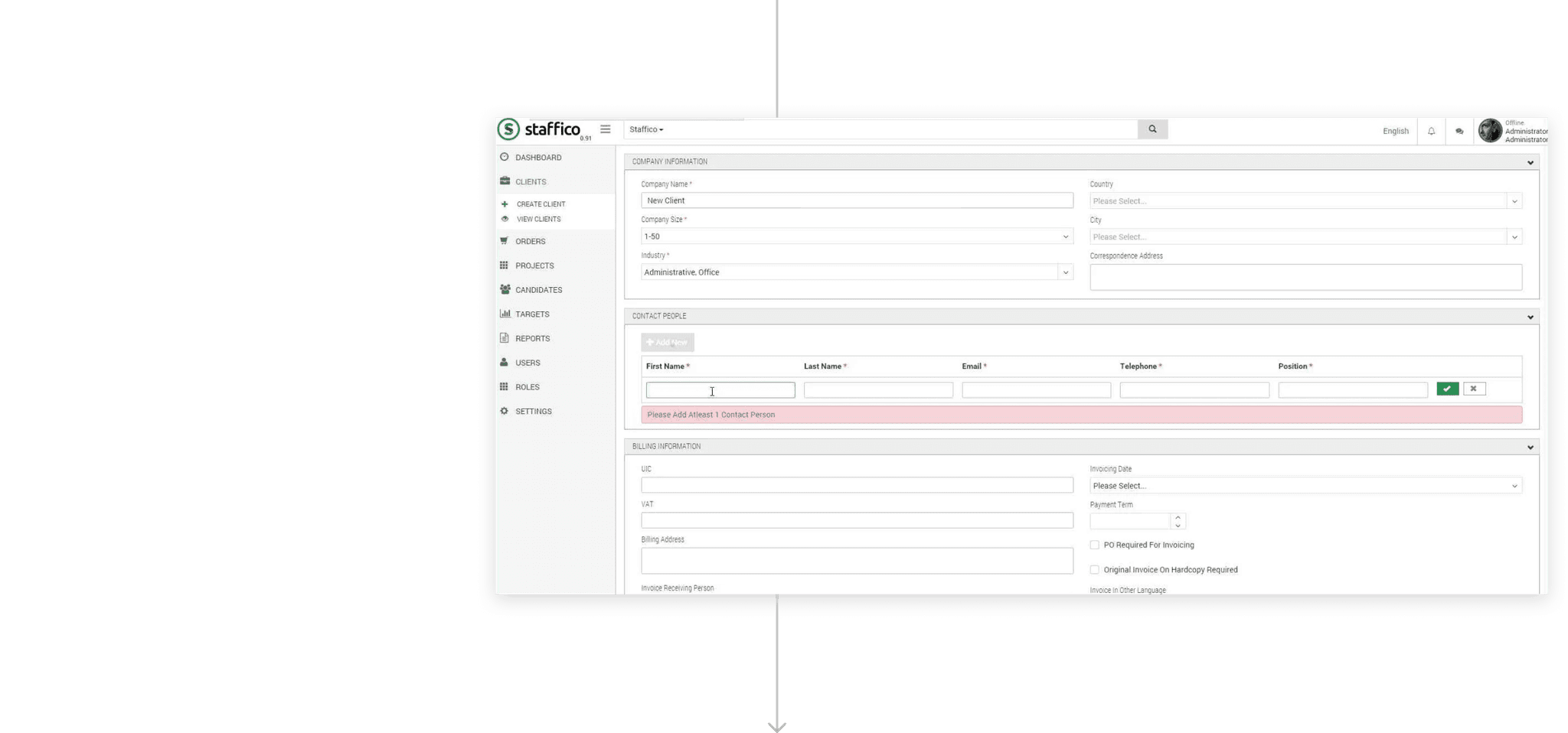
Mitigate User Errors
Clear, instructive feedback mechanisms were implemented, enabling users to accomplish tasks seamlessly, and reducing confusion and frustration.
Outcome
1 Improving task flows, minimizing the number of steps required to complete actions, and providing clear feedback to users
2 Improved user satisfaction - more intuitive interfaces, streamlining processes, and addressing pain points identified through user research.
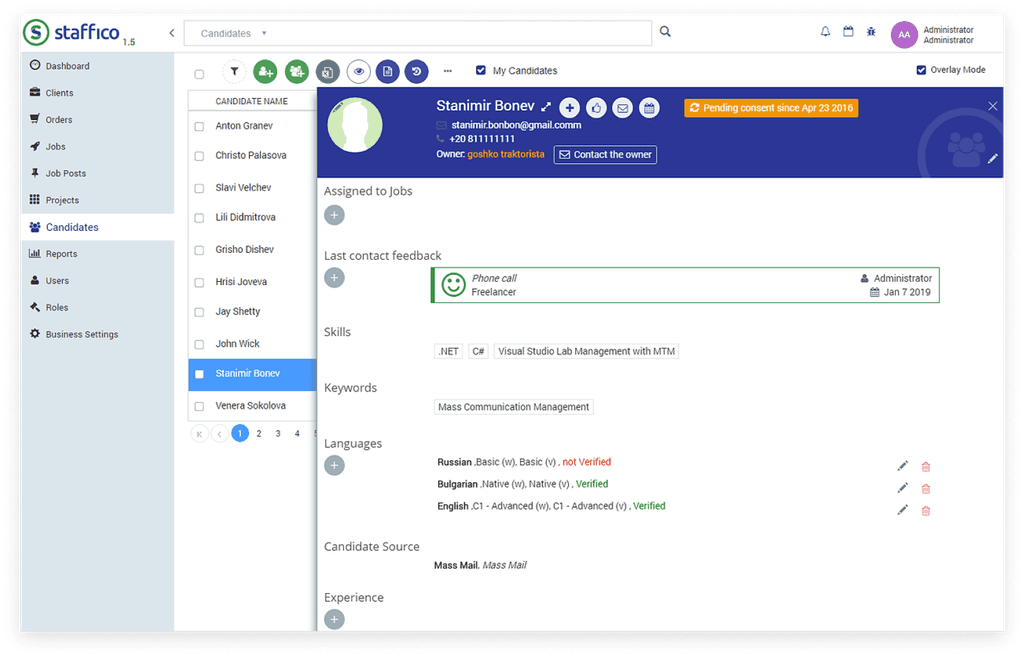
By carefully designing the user flow and removing obstacles (for instance easy Candidate profile creation, or a way of tracking and moving candidates through the project pipeline), we increase the overall product use.
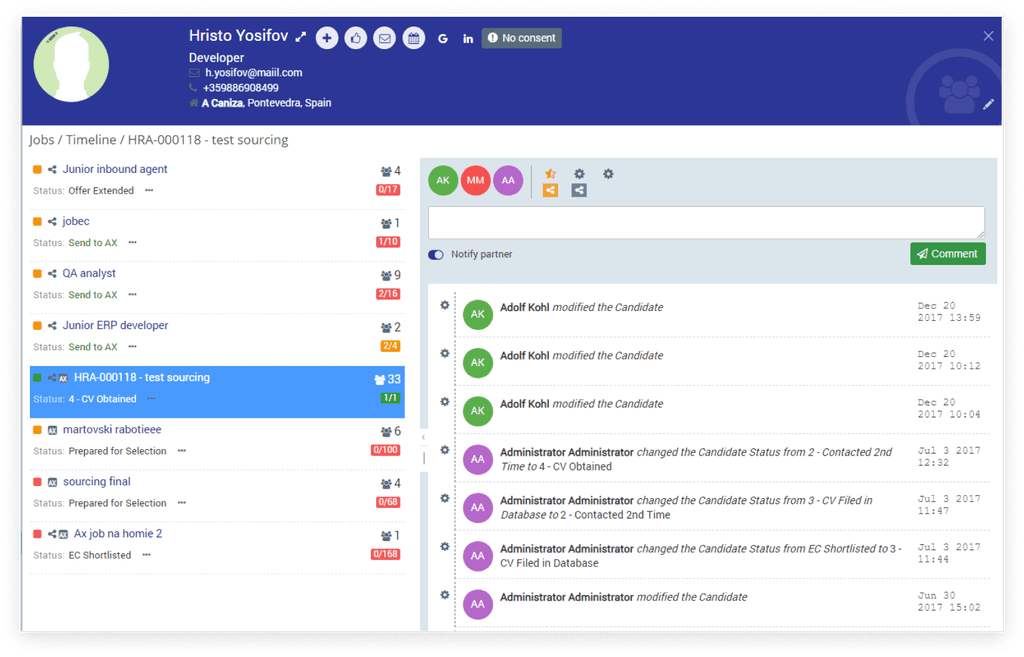
Improved efficiency and productivity - by streamlining workflows, and automating some tasks, such as automatically assigning candidates to new statuses, or sending notification emails, we help users accomplish their goals more quickly and effectively.
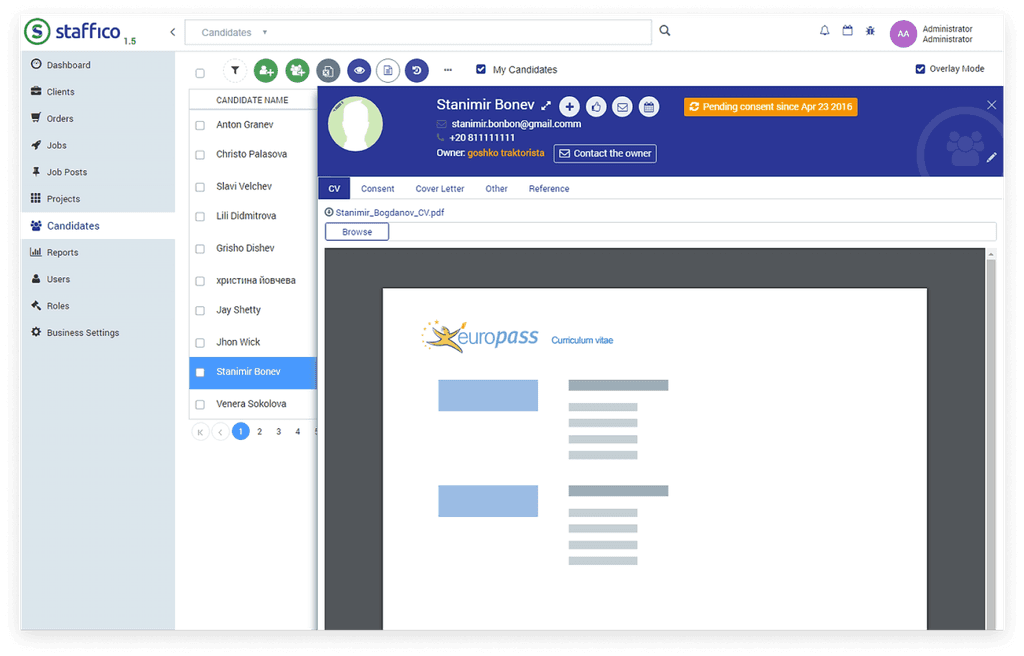
3 Enhancing the visual design elements to create a visually appealing and cohesive user interface
We have increased user engagement by improving overall usability and accessibility
Reduced user errors and support requests by providing clear and helpful feedback, users can accomplish tasks without confusion or frustration.
4 Actively involving users in the redesign process by gathering feedback, conducting user testing, and incorporating user insights and preferences
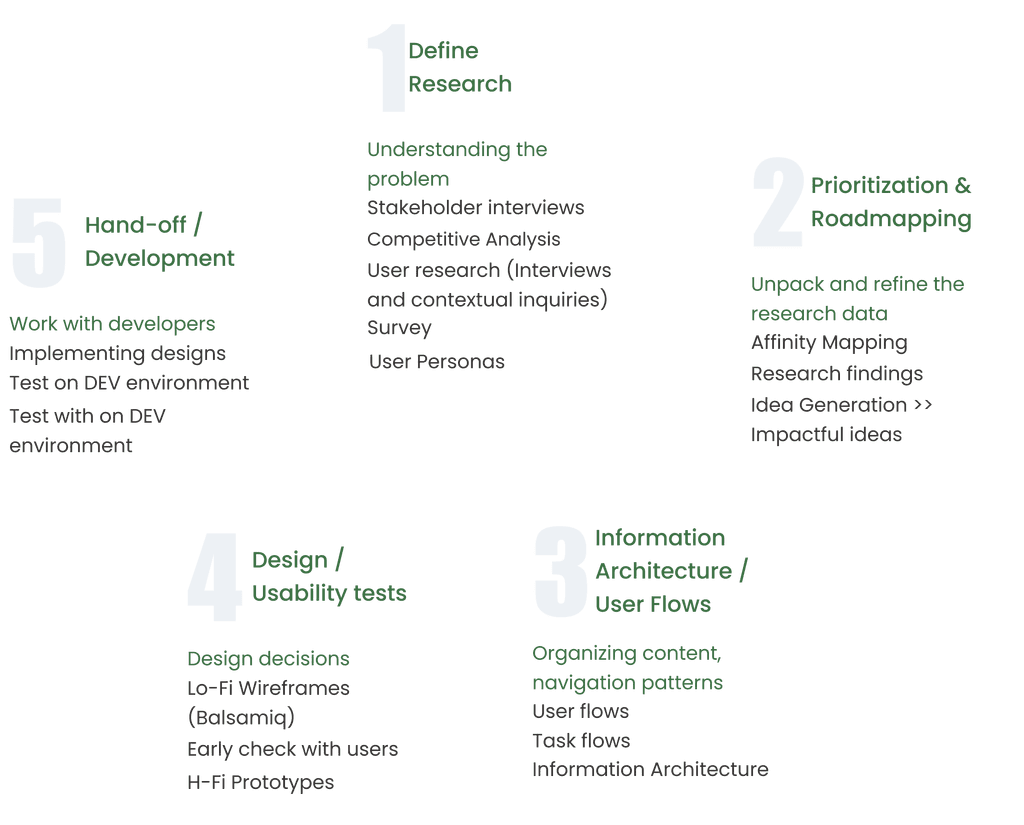
My Process
Competitive analysis
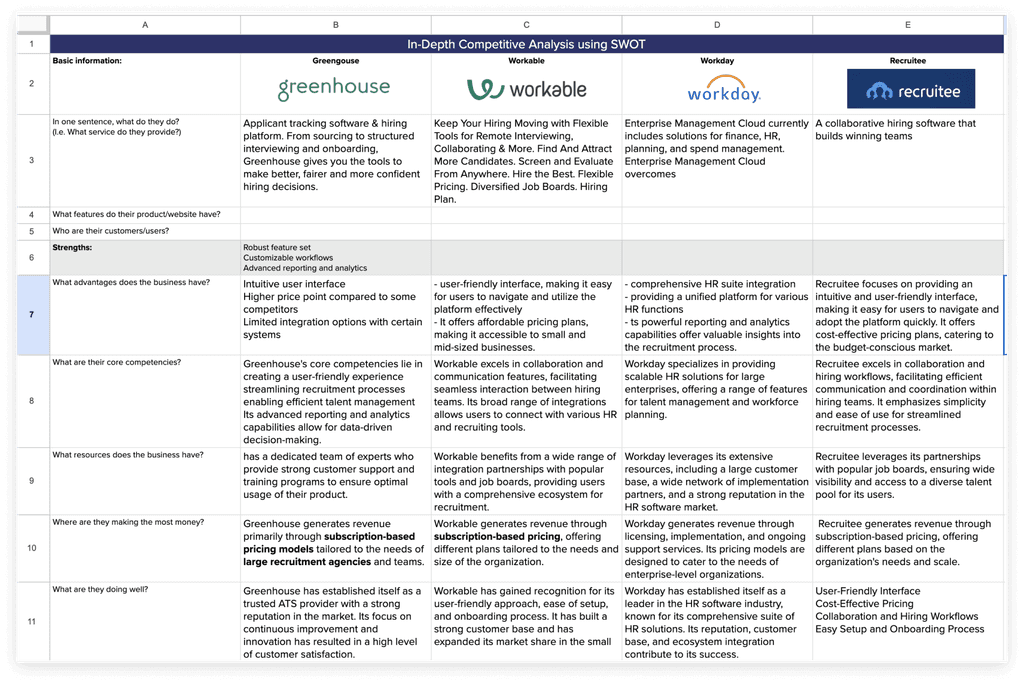
Identified opportunities
-> Mobile Optimization
-> Integration Ecosystem
-> Customization and Branding
-> Advanced Analytics
-> Automated Interview Scheduling
-> Customization for Diverse Workflows
-> Collaboration and Communication
Stakeholder Interviews
I initiated one-on-one interviews with key stakeholders, including recruitment team managers, hiring managers, solution architect, and product managers. This allowed me to gain a comprehensive understanding of their work processes.architects
User interviews / Contextual inquiries
User Personas

Affinity mapping
We used a standard approach and grouped and clustered the information on a large wall in the office. Some POV statements based on the data received
POVs
HMWs
We would like to explore ways to streamline the hiring process and empower Recruiters to find the best candidates quickly and effectively
How might we optimize application flow?
HMW allow recruiters to track and manage candidates easily?
HMW make screening, filtering, and candidate prioritization better?
HMW optimize the conversion rate?
We would like to find ways to support inclusivity and ensure fair opportunities for all users.
HMW create an intuitive and clean design?
HMW meet accessibility standards such as WCAG?
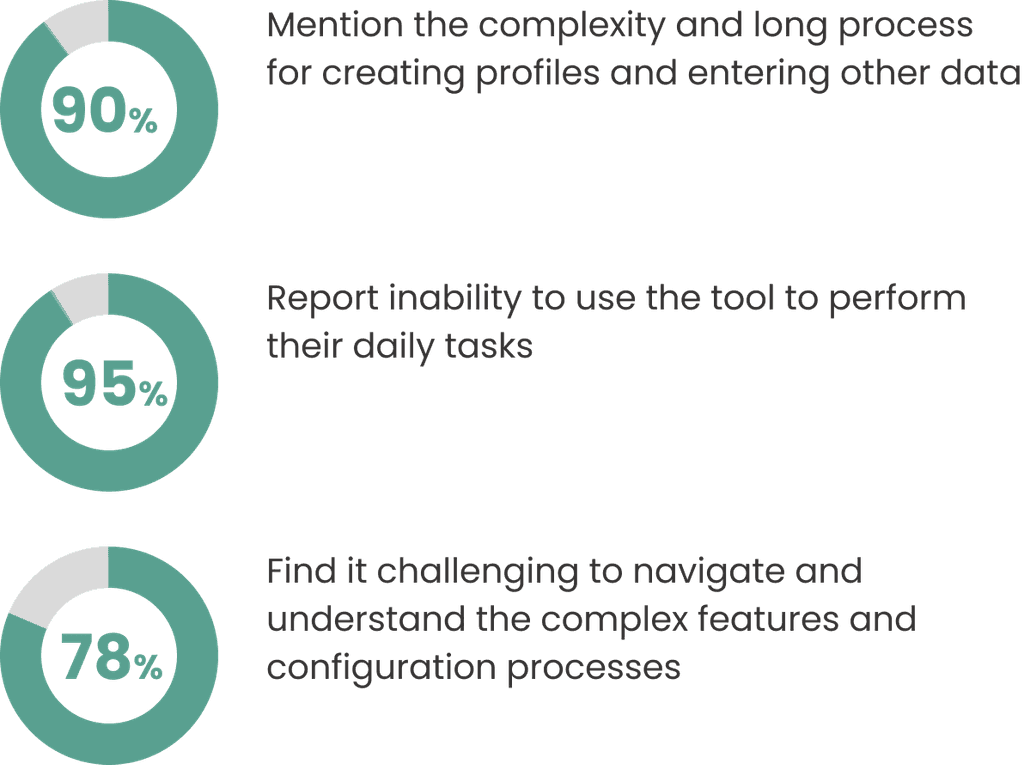
Research insights
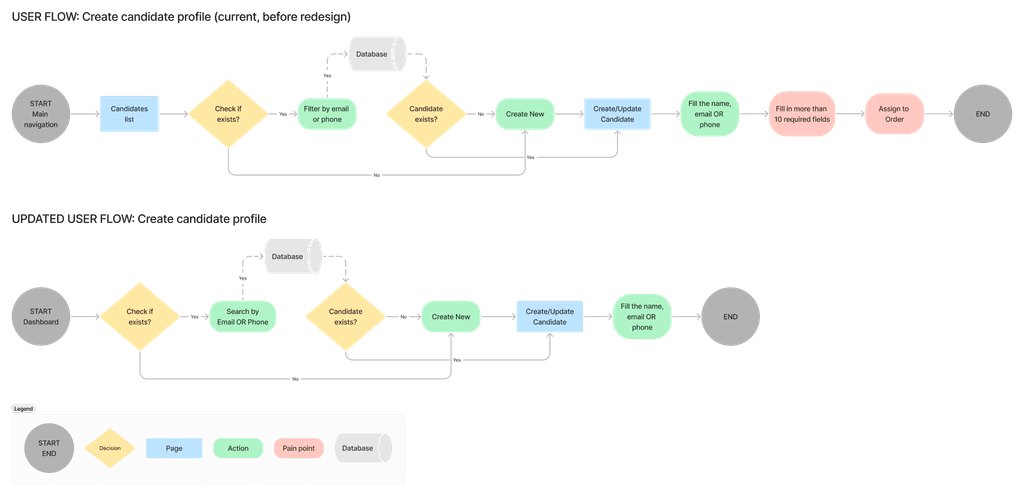
User Flows/ Task flows
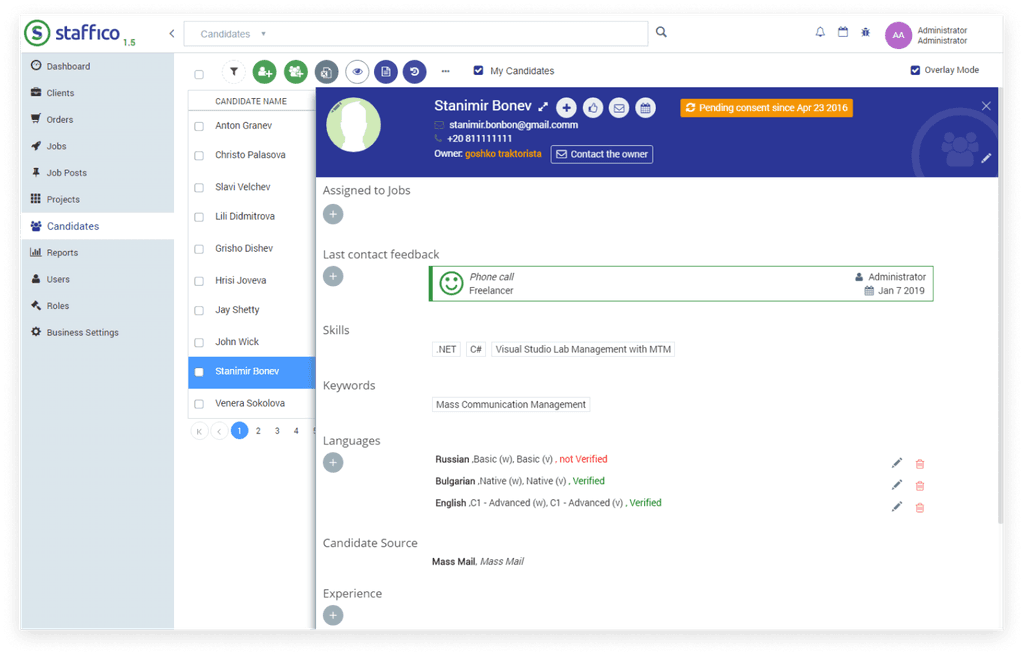
One of the most important tasks flows optimization - Create Candidate Profile
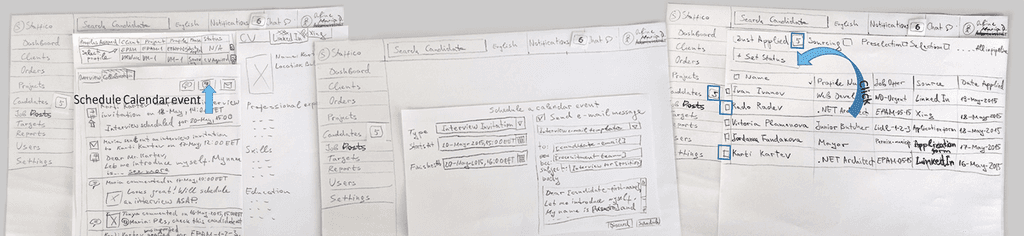
Lo-Fi prototypes (paper)
Used paper prototypes to communicate my ideas with stakeholders
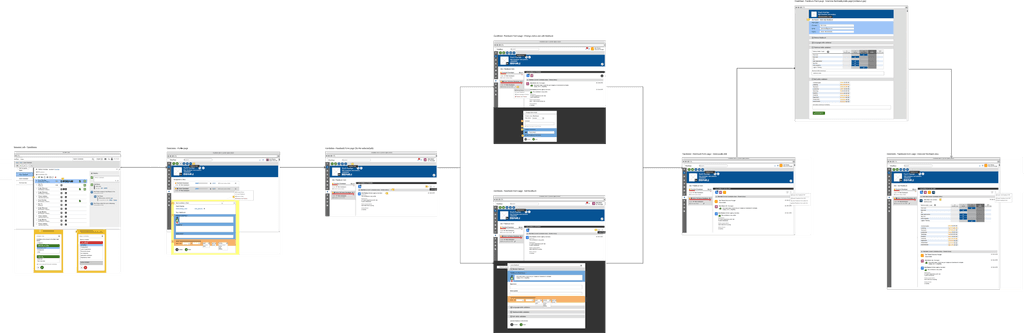
Wire flows (Balsamiq)
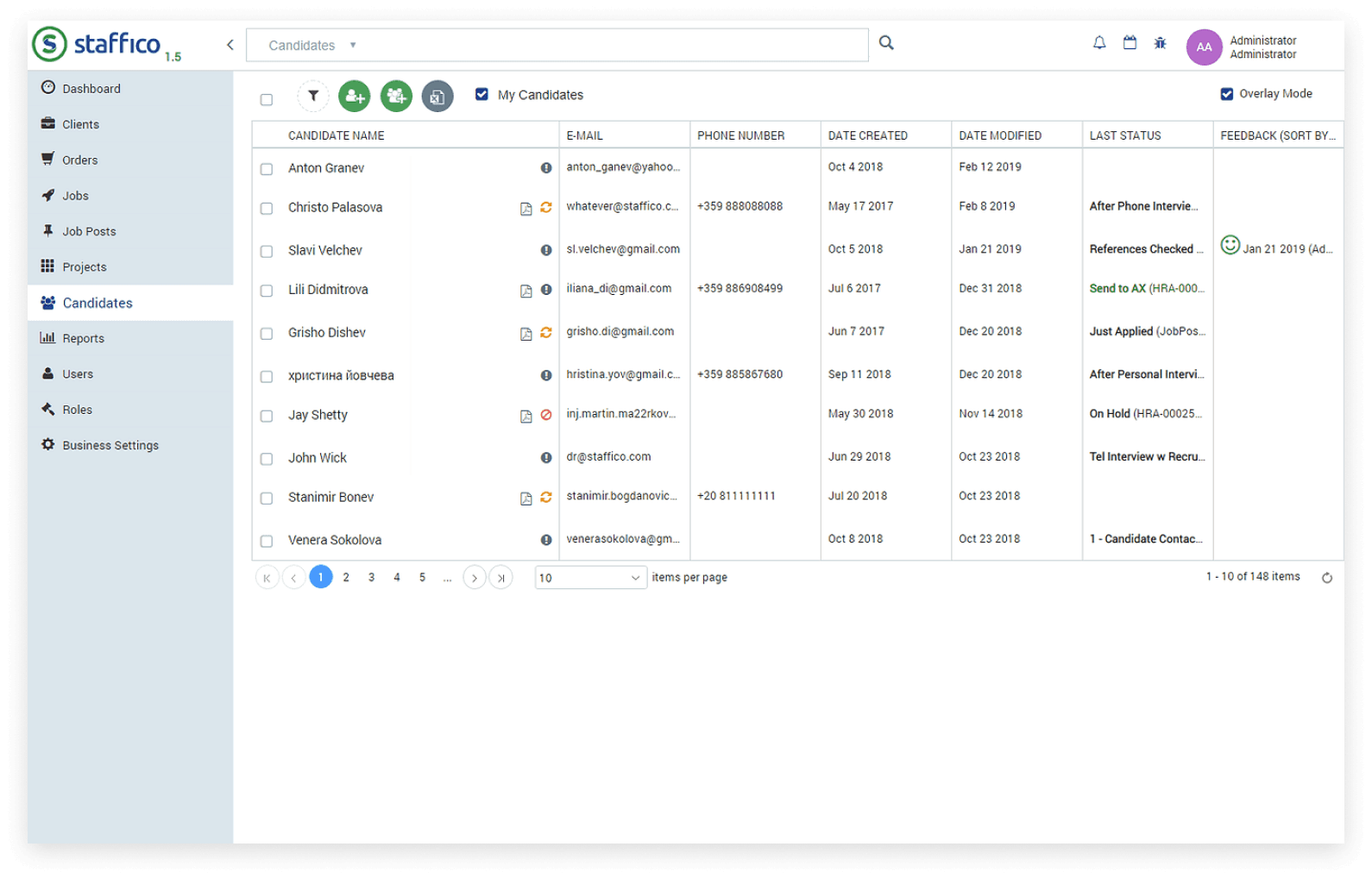
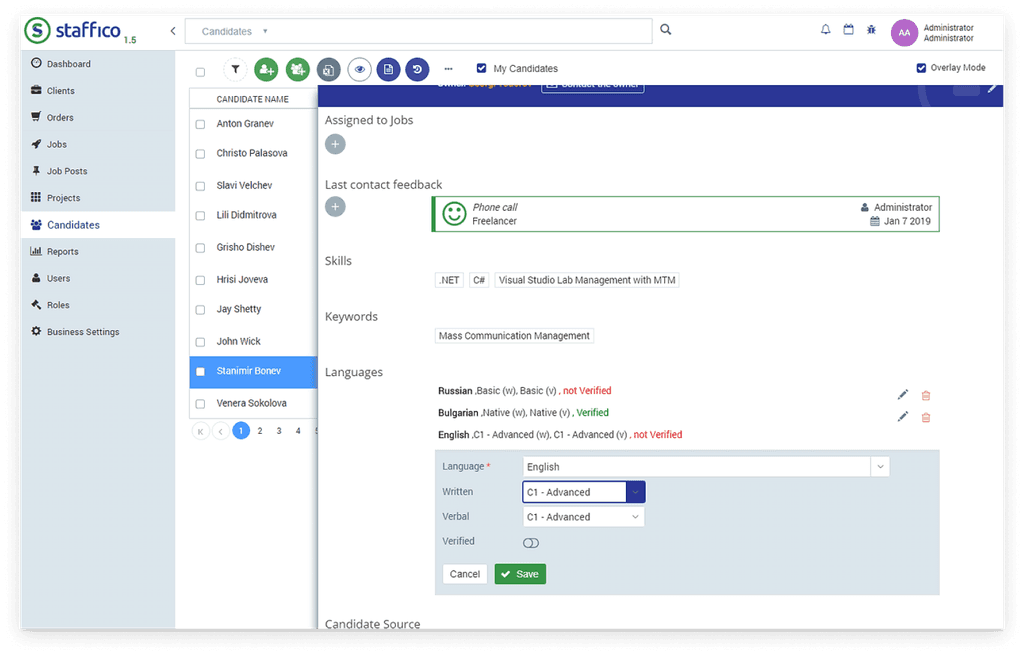
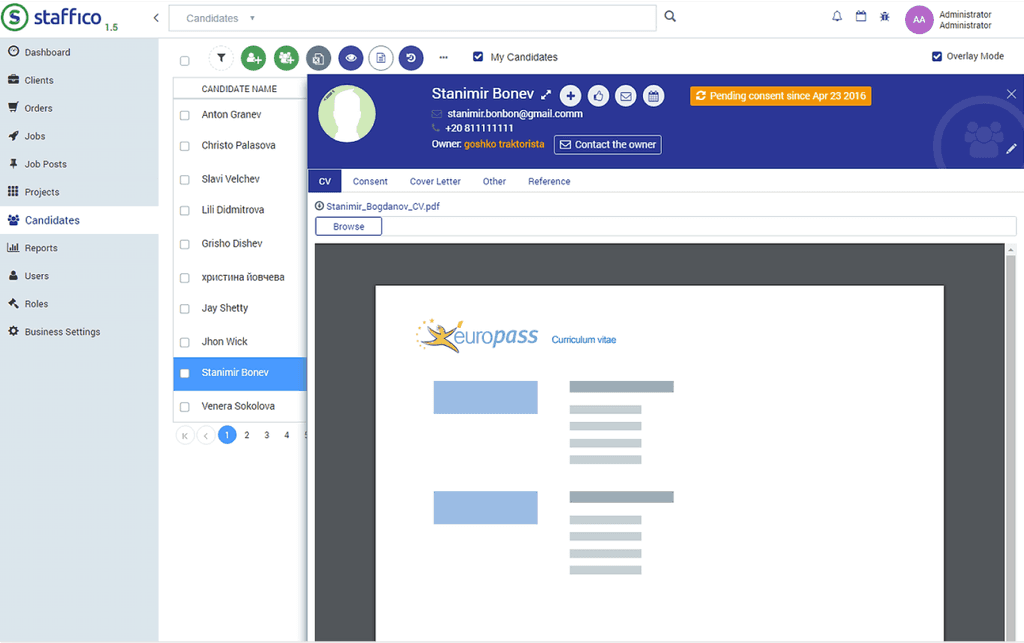
Hi-Fi wireframes
Design Hand-off
Working closely with developers to create pages templates
Accessibility Guidelines: Share the accessibility requirements and guidelines
Iterative Development process
User testing on DEV environment and, based on the received feedback, necessary improvements are made

Outcome
Improved accessibility
-> Color contrast
-> Tables data with a proper heading and layout
-> Properly labeled input fields and buttons
-> Clear and concise content and plain language
Improved usability
-> Clear and intuitive design
-> Simple and clear error and system messages
(contextual and color-coded)
-> Simplified user flows
-> Error Handling
-> Consistent and immediate feedback
Other projects
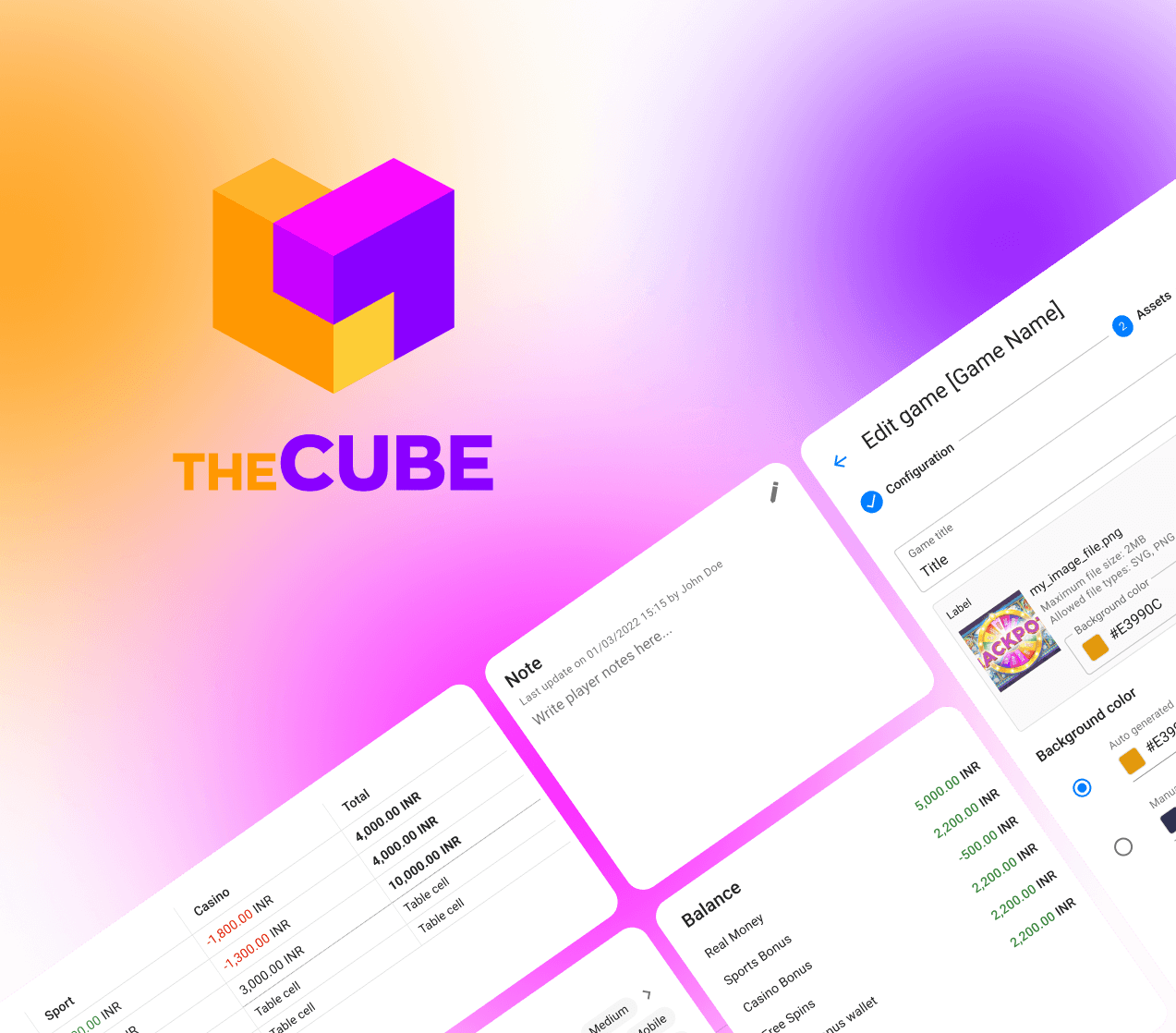
CUBE: Back Office redesign
Aligning the Platform with Users and Business Needs